

This article is reviewed regularly by Wego’s editorial team to ensure that the content is up to date & accurate.
Reviewed June 2024
Regardless of how long you plan to remain in Saudi Arabia, the day will eventually come when you must leave the nation and head back home.
 Book cheap flights on Wego
However, you must first make sure everything is in order before you depart, and that entails requesting your final exit visa as proof that you have settled all your bills and responsibilities in Saudi Arabia. Read further to know more.

Table of Contents
What is the final exit visa in Saudi Arabia?
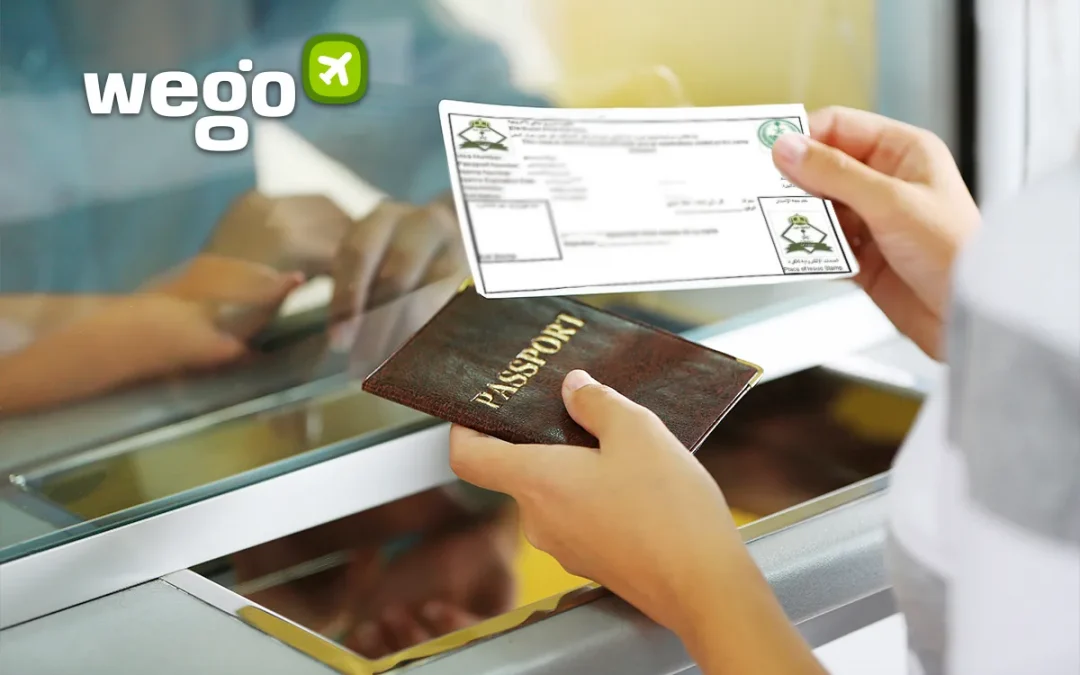
A final exit visa or Khurooj Nihai is a visa that expats working in Saudi Arabia need to get if you wish to leave the country. The visa application will need to be approved by your employers.
Final exit visa requirements
Before requesting your sponsor to grant you a final exit visa, there are a few things you need to prepare. Some of these items must be done in order to complete the final leave process as required by Saudi law, while others are optional.
Mandatory
- The payment of the dependent fee for 60 days from the date of the issuance of the final exit visa.
- Person to whom the visa is to be issued must be inside the kingdom when issuing the visa.
- Validity of the individual’s passport to whom the visa is to be issued must be at least 60 days for the final exit visa.
- Resignation with an appropriate notice period.
- Pay all traffic violation fines.
- Sell your vehicle or transfer its ownership.
- The iqama or the residency permit must be valid.
Optional
- Get the police clearance certificate from Saudi Arabia.
- Get the End of Service Benefits and transfer them to your bank account in your home country.
- Pay off all postpaid internet/mobile bills/electricity bills. (Although Jawazat may have linked the settlement of all dues to successful issuance of the final exit, it is not yet implemented)
- Cancel your Ejar contract. In case you want to continue the lease, you can pay the landlord for some months and he will not cancel the lease.
- Disconnect landline and internet connection.
- Pay off loans and credit card bills.
- Close your bank account before leaving Saudi Arabia on the final exit.
- The flights normally allow 46 kg of luggage per passenger so it is better to use cargo service to send your belongings from Saudi Arabia.
Final exit visa application process
Final exit visa for individual
Employees who match the following criteria can use Absher to request their own final exit visa following the new Saudi labour law revisions:
- There must be no car/vehicle under their name
- The final exit visa of all dependents is issued
- All dependents on family visit visas have left Saudi Arabia
How to apply through Absher:
- Log in to Absher
- Click on the “Services” button under “My Services”
- Select “Passports” from the given options
- Click on “Visa Requests”
- Move to the next page
- Scroll down to find the option “Create a request for visa”
- Request the “Final Exit Visa” type
- Agree to the terms and conditions
- Click on the “Confirm” button to request the final exit visa
The following error message would appear if any of the aforementioned prerequisites were not met in order to obtain the final exit visa: Sorry, you are not eligible to create a visa request; please contact with General Directorate of Passports.
How to apply through Muqeem:
- Log in to Muqeem
- Click on E-transactions
- Select ‘Electronic final exit visa’
- Click on ‘Issue final exit visa’
- Enter the security code
- Enter the resident data
- The screen will display the resident’s data
- Click on ‘Agree’
- Click on ‘Confirm’
- Select ‘Print’
Final exit visa rules for individual
The guidelines listed below apply if you apply for a final exit visa through Absher:
- The employer will have a period of 10 days to approve or reject the request.
- If the employer approves the visa, the employee will have 5 days to issue the final exit visa.
- If the employer rejects the visa, the MOL will review the objection and make the decision on it within 10 days of the initial request.
- If the employer does not respond within 10 days, the request will be deemed accepted.
Final exit visa for dependents
In order to apply for the final exit visa for dependents, the following conditions must be met by them:
- There must be no car/vehicle under the dependent’s name.
- The dependent fee is paid for 60 days from the date of the visa.
- Valid Iqama is required.
- Passport validity is at least 60 days.
- The dependent is inside Saudi Arabia.
- No unpaid violation.
How to apply:
- Login to Absher
- Click on the “Services” tab under Family Members.
- Select “Visa Services” from the given options.
- Click on the “Next” button.
- On the next page, you will find the list of all dependents.
- Select the dependent by clicking on “More Details“.
- Select “Issue Final Visa” from the given option.
- Agree to the terms and conditions.
- Click “OK” to proceed with the issuance of the final exit visa.
- Agree to the terms and conditions.
- Click on the “Issue Final Visa” button.
- If you want to take a print of the final exit visa, you will find the option on this screen.
Final exit visa status check
There are two ways to check your final exit visa status, through the MOL (Ministry of Labor) website and the Absher platform. Below are the details.
Checking final exit visa through the MOL (Ministry of Labor) website
- Visit the MOL website
- Fill in your ID number
- Click on the “green” button
- If your employer has already issued your Final Exit Visa, you will see a “خروج نهايي” result in the employment status.
- At the same time, if your final exit has not been issued yet, you will see the result “علي رأس العمل”
Checking final exit visa through the Absher platform
- Visit the Absher website
- Choose “Individuals“
- Select English or Arabic.
- Log in to the Absher platform.
- Go to “Dashboard“.
- Click on “More Details” under the name tab
- Scroll down and look for “Visa Class” under “Visa Information“.
- If your Final Exit Visa has already been issued, your Visa Class will show as “FINAL“
How long does it take to get a final exit visa?
A final exit visa is usually issued within a period of 60 days.
How long can I stay in Saudi Arabia after the final exit?
- The validity of the final exit visa is 60 days from the date it is issued.
- The validity of the final exit visa requested from the employer (explained above) is 15 days from the date it is approved.
- Once the final exit visa is issued, the Iqama validity becomes irrelevant.
- There is a fine of SAR 1,000 for not leaving Saudi Arabia within its validity. However, there is no fine to cancel the final exit visa within its validity.