

This article is reviewed regularly by Wego’s editorial team to ensure that the content is up to date & accurate.
Updated May 2024
Bahrain offers multiple visa services, each with a certain validity period. The validity of such important documents, such as work permits and visas, can be easily checked online with a few clicks.

Wego has noted down all that you need to know about the validity period of different Bahrain visas and how to check and extend the validity period of visas issued by Bahrain. Keep reading to learn more!
Table of Contents
Bahrain visa validity check through LMRA
By visiting the Labour Market Regulatory Authority (LMRA) website here, expatriate employees can check the validity, work permit application status, or legal status of their work permits in Bahrain.
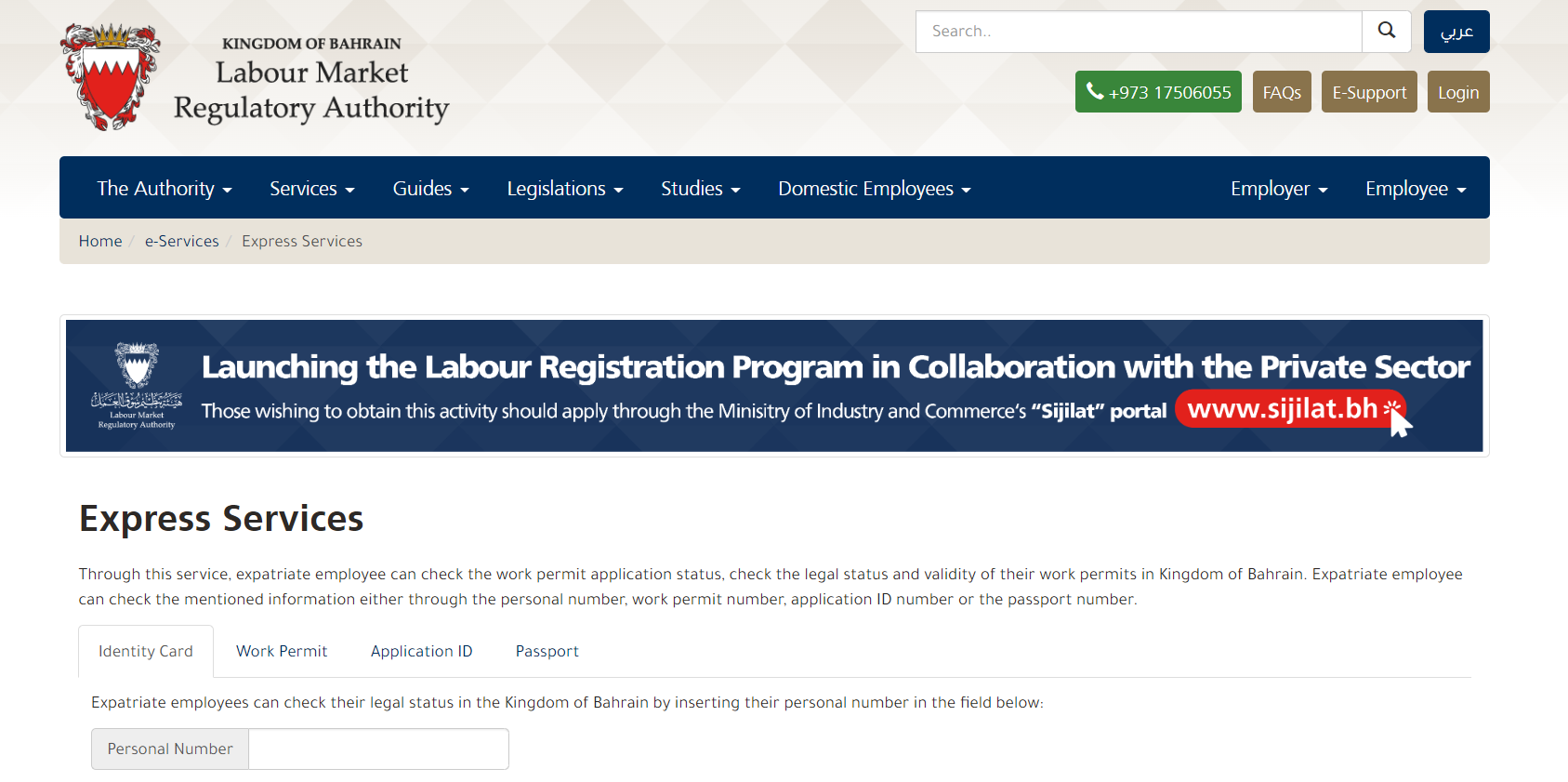
This service can be used by either entering the personal number, work permit number, application ID number or passport number of the applicant and checking the validity of the visa.
Bahrain visa can also be checked through the Expatriate portal in LMRA with only personal number and passport expiry date. Although, the server is currently under maintenance and no announcement has been made of when the website is back in service.
Bahrain visa status check online by passport number

To check the status of your e-visa or permits issued by Bahrain:
- check out the Ministry of Interior Affairs here
- enter your passport number, nationality and date of birth
- enter the Application Reference Number you were given when you applied for your Visa or Permit
- click “Submit” and view the status of your visa application
Bahrain visa validity period
All visas come with conditions indicating how long you can stay in Bahrain during a particular visit.
- single entry visa: valid for 2 weeks per stay (can be extended for 2 weeks)
- multiple entry visa (3 months): valid for 1 month for each stay (can be extended for 2 weeks).
- multiple entry visa (1 year): valid for 3 months for each stay (can be extended for 2 weeks).
- sponsored visa (Single entry): valid for 1 week per stay (can be extended for 1 week).
- sponsored visa (Single entry): valid for 2 weeks per stay (can be extended for 2 weeks).
- sponsored visa (Single entry): valid for 1 month per stay (can be extended for 1 month).
- sponsored visa (Multiple entries): valid for 1 month and 2 weeks per stay (can be extended for 2 weeks).
Remember that if the visa expires before your entry into Bahrain, you will be required to re-apply for the visa and pay the fee again.
Bahrain visa extension
Visa can be issued to eligible visitors and guarantors (government organizations, companies and citizens). This service is done in accordance with the rules and regulations of the Kingdom of Bahrain.
To extend your Bahrain visa validity online, please :
- visit the Kingdom of Bahrain’s National portal here
- select the type of applicant
- provide the required details including passport number, date of birth and nationality to begin the extension process