


This article has been reviewed by Wego’s editorial team to ensure that the content is up to date & accurate.
Updated April 2024
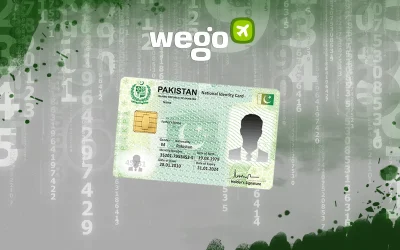
The Computerized National Identity Card (CNIC), commonly referred to as the Pakistani ID card, holds great significance for Pakistani citizens as it serves as a vital document. Misplacing or losing one’s CNIC can be a distressing situation, as it is the key to accessing numerous government services. In the event of CNIC loss, it is imperative to promptly initiate the process for obtaining a replacement card.

Read on as Wego provides the steps and essential information you need to know when you lose your Pakistan ID card or CNIC.
Table of Contents
What happens if the CNIC is lost?
The Computerized National Identity Card (CNIC) is a Pakistani identity card issued by the National Database & Registration Authority (NADRA). It is an essential document that all Pakistani citizens who reside in Pakistan must acquire.
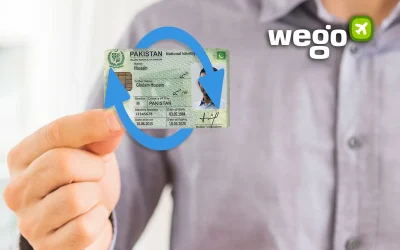
If a citizen loses their CNIC, they must immediately reprint the CNIC as a replacement for their lost ID card at the nearest NADRA center.
 Book cheap flights to Pakistan
Lost CNIC procedure
To reprint your lost CNIC, follow the steps given below:
- visit the nearest NADRA center. You can find the nearest NADRA center through the Rahbar app (Android, iOS)
- apply to reprint your lost ID card
- you will receive your ID card within a few days
Please note that no documents are required to reprint a lost ID card. If available, you should bring a copy of your lost CNIC. The card will be issued according to the existing data, with changes in the issuance and expiration dates.
Alternatively, the CNIC reprint procedure can also be done online through the Pak ID mobile app (Android, iOS)
Lost CNIC complaint
In case of losing the CNIC, applicants are immediately required to report their lost ID card to the local police.
Additionally, applicants must provide a written complaint and, if possible, a copy of their lost CNIC. The police will furnish them with a Loss Report copy, which can be used to monitor the application process and request a replacement CNIC.
Lost CNIC tracking
Once you have applied for a new ID card, you can track the application status through the Pak Identity Portal or NADRA’s SMS-based service.
For more information regarding the NADRA ID tracking, you can refer to our dedicated article below.
Urgent ID card delivery
NADRA has introduced a new policy to expedite ID card delivery, reducing the delivery period from 23 days to just 15 days. This initiative is part of NADRA’s ongoing efforts to improve services and better serve citizens.
This expedited service, offered at no additional cost, enables Pakistani citizens to receive their identity cards more swiftly.
Lost CNIC fees
The cost of reprinting a lost CNIC varies based on the processing time. Below are the prices for reprinting a CNIC:
- normal (31 days): PKR 750
- urgent (23 days): PKR 1,500
- executive (7 days): PKR 2,500
Lost ID card for Pakistani citizens overseas
If you are a Pakistani citizen who lives overseas, you must also acquire a Pakistan ID known as NICOP or the National Identity Card for Overseas Pakistanis. To reprint your lost NICOP, you must provide a copy of your lost NICOP or your passport.
The cost of reprinting your NICOP may differ based on your country and processing time. Below are the prices for reprinting your NICOP:
- for countries in Zone A
- normal (31 days): USD 39
- urgent (23 days): USD 57
- executive (7 days): USD 75
- for countries in Zone B
- normal (31 days): USD 20
- urgent (23 days): USD 30
- executive (7 days): USD 40
For more information regarding NICOP or the National Identity Card for Overseas Pakistanis, please refer to our dedicated article below: