

This article has been reviewed by Wego‘s editorial team to ensure that the content is up to date & accurate.
Updated March 2024
The UAE has solidified its reputation as a top global choice for workers hailing from various corners of the world. This is owed to its flourishing economy, provision of tax-free income, and commitment to maintaining a superior standard of living. Central to this attractiveness is the UAE labour card, which serves as a vital validation of a worker’s legal employment status. Moreover, it furnishes essential insights into the individual’s professional standing within the nation.
 Book cheap flights on Wego

Recognizing the significance of having knowledge about your UAE labour card number cannot be overstated. To explore the process of verifying your UAE labour card number, continue reading as Wego provides insightful guidance.
Table of Contents
What is the UAE labour card number?
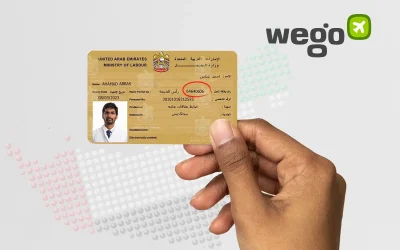
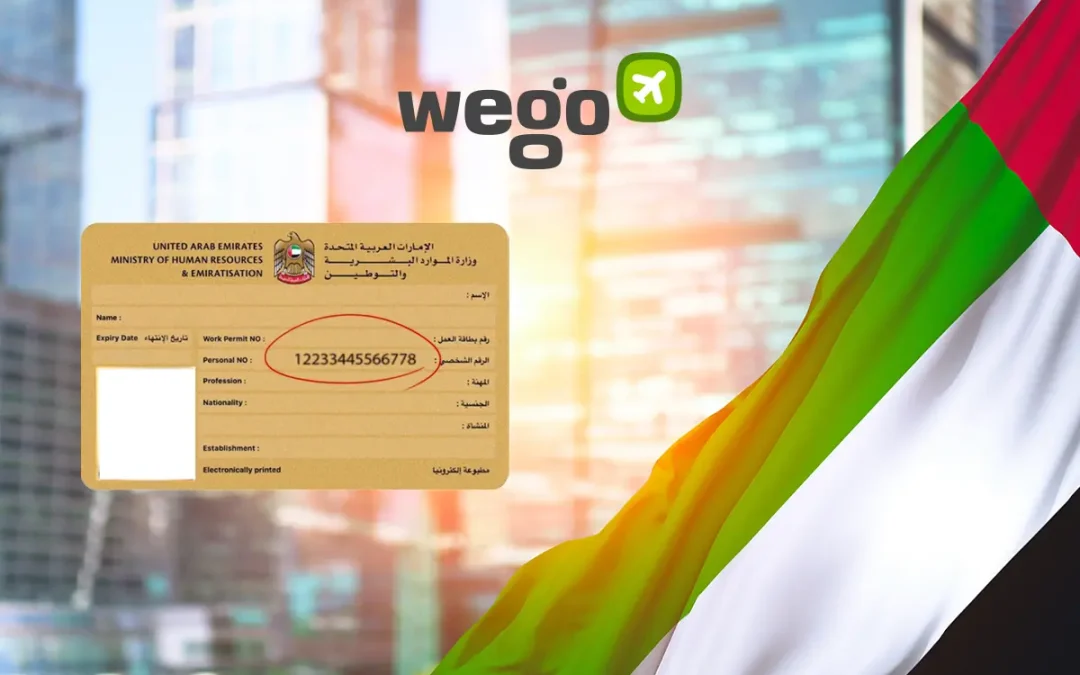
The UAE labor card number is a distinctive identification code assigned to every employee in the UAE. This number is provided either by the Ministry of Human Resources and Emiratisation (MOHRE) or by the relevant free zone authority governing their workplace. This unique labor card number holds significance as it is prominently displayed on both the labor card itself and the labor contract.
This crucial identity card contains a wealth of information, including the worker’s name, occupation, employer, nationality, expiration date, personal identification number, work permit number, and labour card number. The labour card serves as a fundamental reference point for the worker and their employer, ensuring the smooth operation of the labour market.
UAE labour card number check
The UAE labour card number can be found in the following two ways:
UAE labour card number MOHRE
To find your labour card number through the MOHRE application, follow the steps given below:
- download the MOHRE smartphone application (Android, iOS)
- log in to the application using your UAE Pass.
- after this, click on your profile, which will show your photograph along with the title ‘Employee.’
- the app will now show you all the details related to your employment, including your Labour card number, issue date and expiry date.
- you can also view a digital copy of your labour card by scrolling down and clicking on the ‘View Labour card’ option.
UAE labour card number Tas’heel service centre
Tas’heel centres are an easy way to access the labour card number. Tas’heel centres are located across the UAE, and you can visit one to request the details of your employment, including your labour card number or employment contract copy.